Your whole workday.One workspace.
Soft Desk puts your projects, time, inbox, calendar, and files in one place — with an AI assistant you can chat with or talk to that actually does the work.
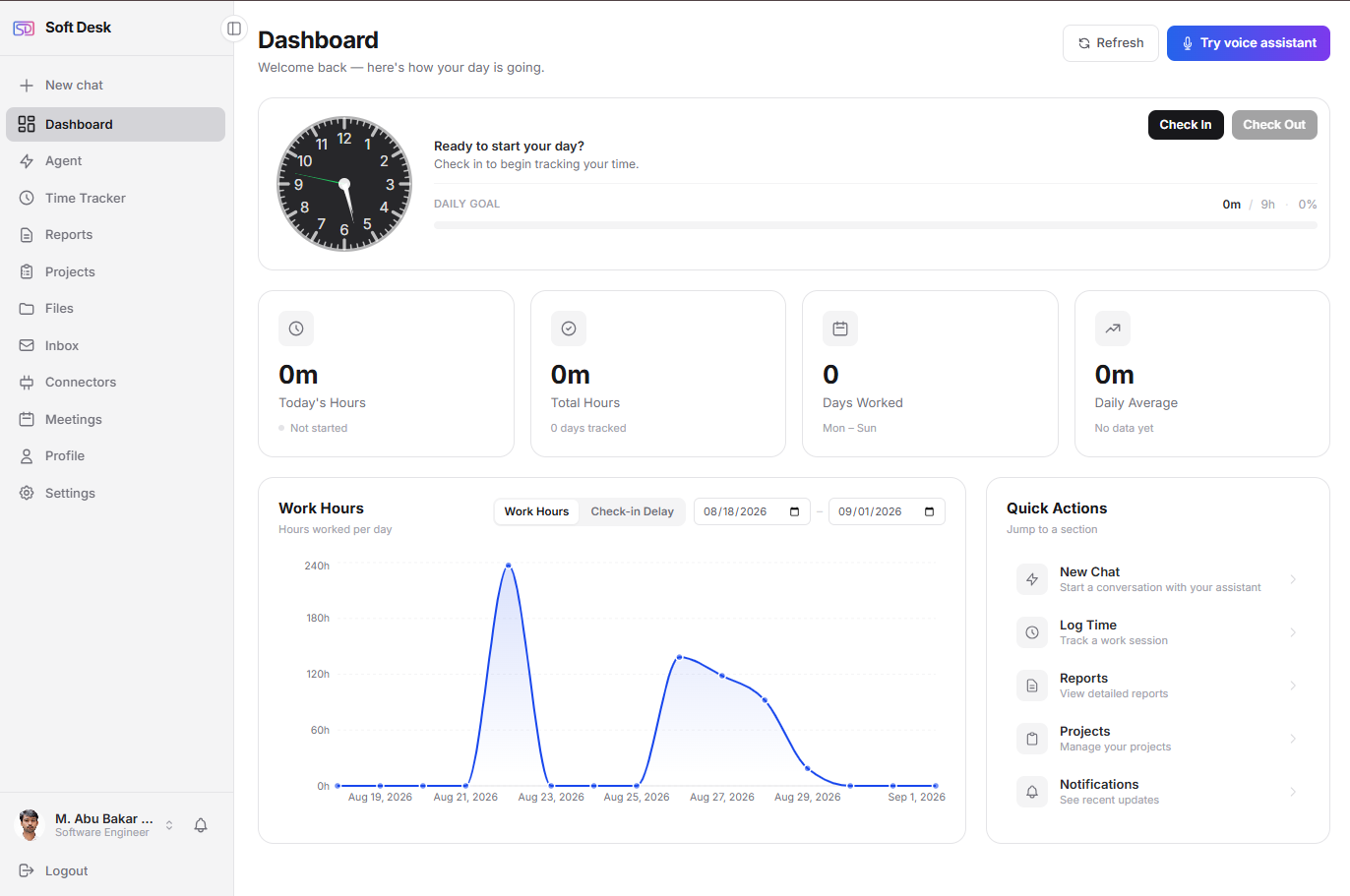
Tracking · Client Site
02:34:17
"Hey Assistant, what's next?"
Powering
focused teams
Your work deserves one home.Not six tabs.
Scattered tools
Projects in one app, hours in another, mail and calendar somewhere else — and none of them talk to each other.
Busywork eats the day
Logging hours, updating boards, writing the same status report — hours of admin around the actual work.
Time just disappears
Weeks end and nobody can say where the hours went. Invoicing from memory leaves money on the table.
One workspace where everything connects — and an assistant that carries the busywork.
We built Soft Desk because we couldn't find a workspace that treated a person's work as one whole thing — projects, hours, mail, and meetings in a single place, with an AI intelligent enough to actually help carry it.
Same day. Same work.A completely different workday.
SoftDesk is an AI-powered work management workspace for freelancers, consultants, and teams — it replaces the shuffle between a project tool, a time tracker, email, calendar, and cloud storage with one place where an assistant does the administrative work for you.
Reconstructing the week from memory to invoice a client
Every minute already billed
Hours attach to their project and task as you work — client reports are one click and accurate to the entry.
Updating the board, the timesheet, and the status email separately
One sentence does all three
Tell the assistant once — it creates the task, logs the time, and drafts the summary from real data.
Six tabs, six logins, six places for work to slip through
One tab, everything connected
Boards, timers, Gmail, Calendar, and Drive share a single tab, one search, and one assistant.
Guessing where the week went and why the deadline slipped
Drift visible the day it starts
Work-hours charts, project burn, and overdue flags update live as timers run — no end-of-week surprises.
Stop juggling six tabs.It all lives here.
The tools you switch between all day — connected in one place, aware of each other.
Projects & Kanban boards
Boards, lists, and swimlanes with labels, templates, dependencies, and archives. Every task links to real logged time, so budgets update the moment a timer stops.
Time & billing
One-click timers, billable vs internal hours, and client-ready reports.
Your inbox, built in
Full Gmail inside the workspace — read, reply inline with formatted quoting, and compose with a rich-text editor.
Meetings & calendar
Google Calendar synced — create, edit, and RSVP with day, week, and month views that follow the current time.
Files at hand
Browse, upload, and manage your Google Drive without leaving the app.
Search that forgives typos
One search across projects, tasks, time entries, and notifications — fuzzy, ranked, and instant. Type "databse" and still find the database tasks.
It doesn't just answer.It does the work.
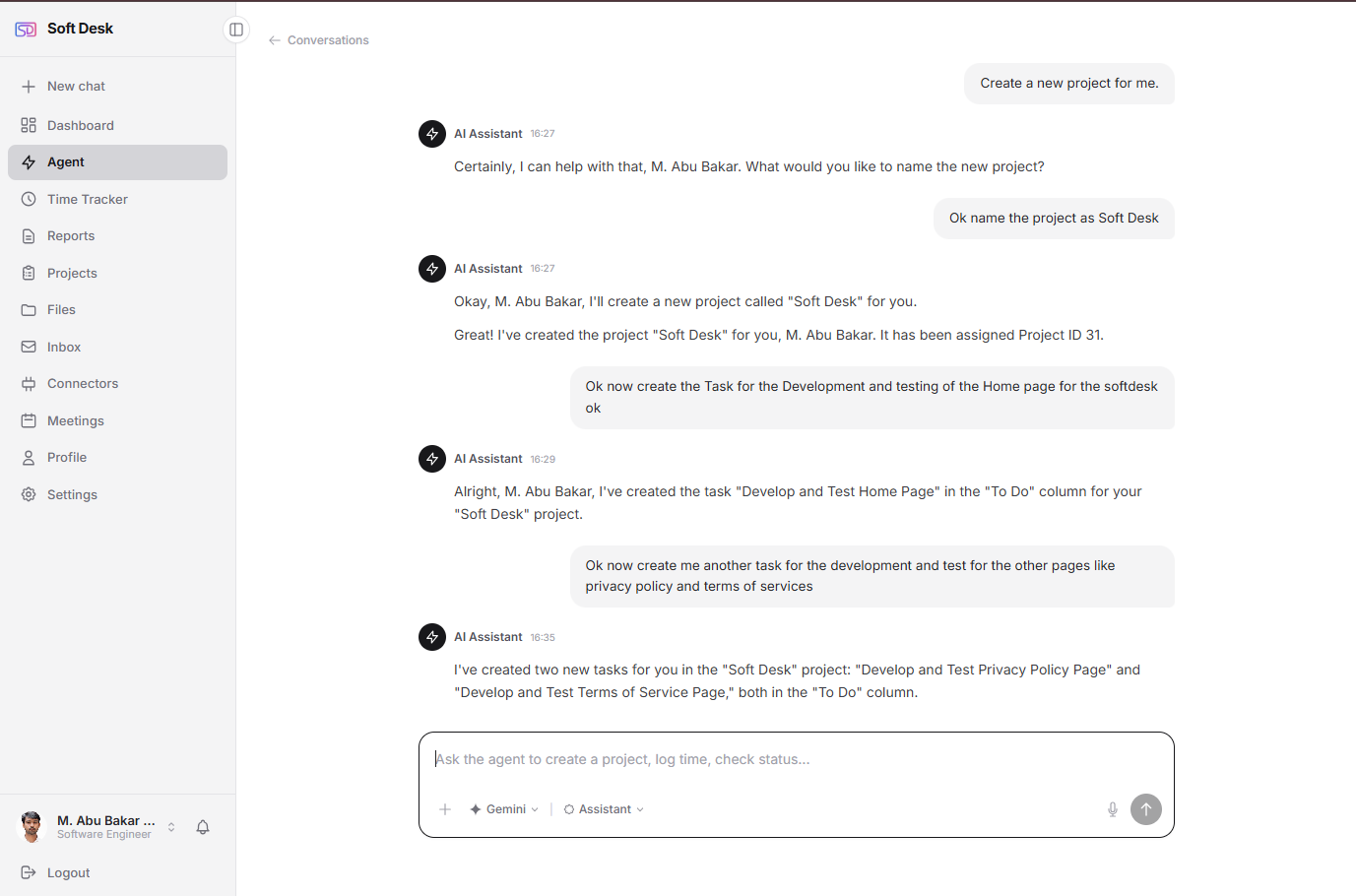
Your assistant lives inside the workspace and knows your projects. Ask in plain language — it creates, moves, logs, and reports. No forms, no clicking through menus.
- Creates projects and tasks, assigns them, moves cards
- Logs time and answers “where did my week go?”
- Builds reports and charts from your real data on demand
- Understands your uploaded documents and images
- Bring your own AI — Claude, Gemini, or GPT via your key
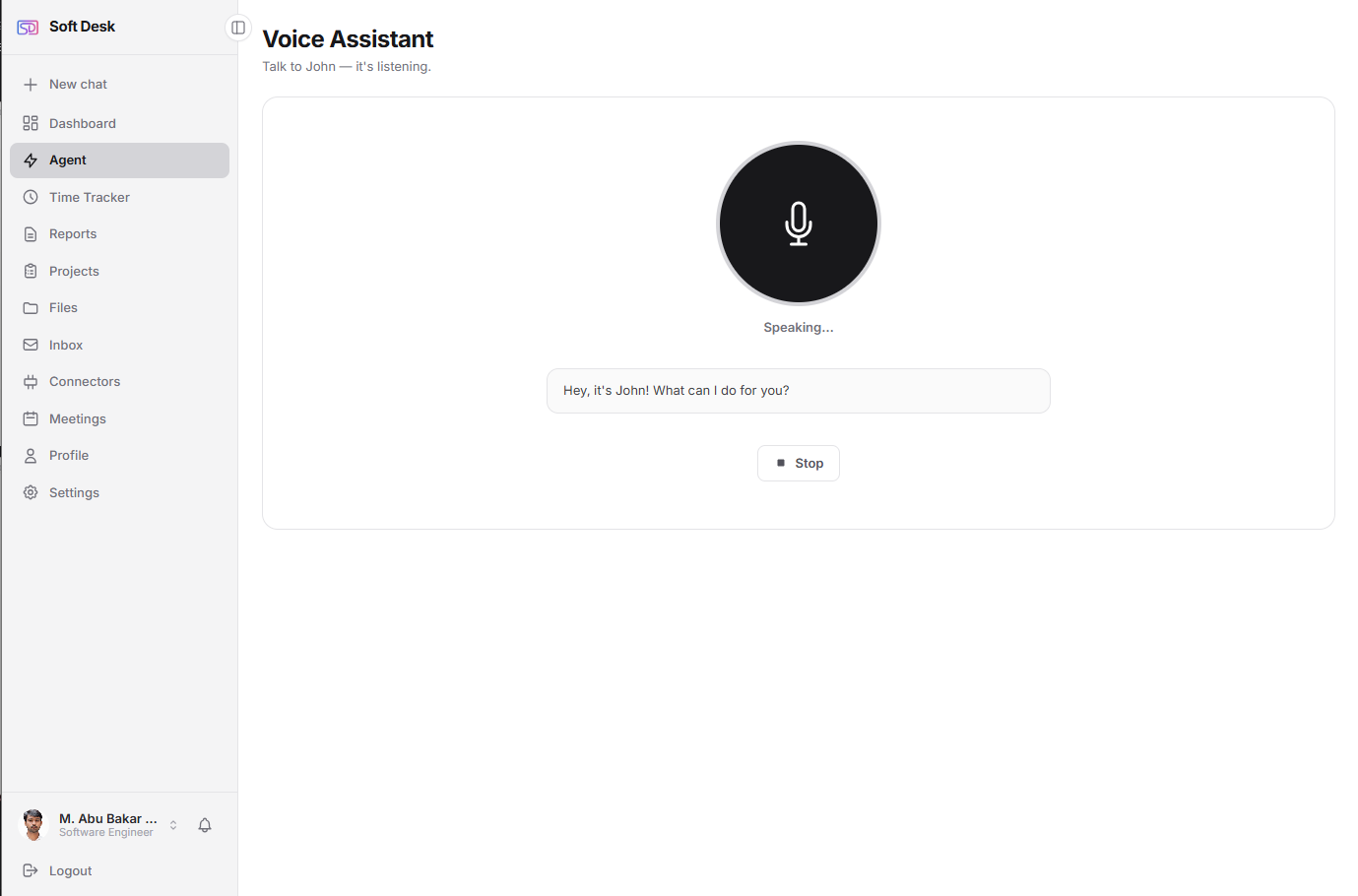
Speaking…
Say the word.Hands stay on the keyboard.
A wake word away, anywhere in the app. It answers out loud with a short spoken summary while the details — task lists, tables, charts — appear on screen. Two channels, one brain.
- Custom wake word — name your assistant anything
- Speaks concise answers; shows full details on screen
- Creates tasks, logs time, and answers questions by voice
- Listens only inside your dashboard — never on public pages
AI that raises your output.Without lowering your standards.
Most "AI features" bolt a chatbot onto a tool. SoftDesk was designed the other way around: a professional workspace where the AI has real hands — and where every number it reports is traced to data you logged, never invented.
An assistant that acts, not just answers
Ask it to plan a project and five tasks exist on your board. Ask where your week went and it reads your actual timers. Creating, moving, logging, reporting — by chat or by voice, hands-free with a wake word.
Your AI, your keys, your data
Bring your own Claude, Gemini, or OpenAI key. You choose the model, you control the cost, and your workspace data is never used to train anyone's AI. Keys are encrypted at rest and revocable in one click.
Genuinely one workspace
Not integrations that open new tabs — your real Gmail inbox, Google Calendar, and Drive files render natively inside SoftDesk, next to your boards and timers, sharing one typo-tolerant search.
Numbers you can bill on
Reports, charts, and invoicing summaries are computed from logged entries — the assistant explains them, it doesn't estimate them. What you send a client is arithmetic, not hallucination.
Two minutes, start to finish
Watch a project get planned, tracked, and reported — mostly by talking to the assistant.
Product demo is being filmed — want a live walkthrough instead?
Request a walkthroughFrom sign-up to shippingin under ten minutes.
Create your workspace
Sign up free. Individuals get projects, time tracking, and the assistant immediately — companies add teams and roles in a guided flow.
Connect your world
Link Gmail, Google Calendar, and Drive with one OAuth click each — and drop in your own AI key (Claude, Gemini, or GPT) to power the assistant.
Ask. Speak. Ship.
Chat or say the wake word — plan projects, log hours, answer mail, and pull reports without touching a menu. The workspace keeps up with you.
Just you today.Your whole company tomorrow.
Freelancers & individuals
A complete workspace for one: your projects, hours, mail, meetings, and files — with an AI assistant on your own key. Free, not a trial.
- Free forever core — no credit card
- Kanban projects & billable time tracking
- Gmail, Calendar & Drive built in
- Chat + voice assistant with your own AI key
Teams & companies
Attendance, timesheets, and projects for every role — Admin, HR, Manager, Team Lead, Employee — each seeing exactly what they should.
- Role-based dashboards & permissions
- Attendance with live check-in status
- Company-wide analytics & reports
- 14-day free trial — full access
Loved by peoplewho actually ship.
"I closed five tabs for good. Mail, board, timer, calendar — one window. And when I can't be bothered to click, I just tell the assistant what to do."
Marcus Chen
Freelance Designer · Self-employed
"“Hey Assistant, log two hours on the API work” while my hands were on the keyboard mid-debug. That's when it clicked for me — this is how tools should work."
Amira Hassan
Indie Developer · Solo
"We rolled it out to five roles across the company in a week. Everyone sees exactly their slice — HR the attendance, leads the boards, finance the hours."
Sarah Mitchell
Operations Director · TechVentures
Simple pricing.Serious value.
Individual
For freelancers and solo pros.
- Projects & Kanban boards
- Time tracking & reports
- AI assistant — chat & voice (your key)
- Gmail, Calendar & Drive connectors
- Unified fuzzy search
Professional
Per user / month. Billed monthly.
- Everything in Individual
- Unlimited projects & history
- Team management
- Advanced analytics & AI insights
- Priority support
Enterprise
For large organizations.
- Everything in Professional
- Unlimited users & custom roles
- Attendance & HR workflows
- SSO & API access
- Dedicated onboarding & SLA
Questions?Answered.
Have a question before you start?
Pricing for your team size, how bring-your-own AI keys work, security and data handling, or a live walkthrough of the assistant — ask anything. A human reads every message.
Replies within one business day
Usually much faster.
Live walkthroughs available
Twenty minutes, your questions, real product — no slides.
No mailing-list tricks
Your email is used to answer you, nothing else.
One workspace.Zero busywork.
Join Soft Desk — projects, time, mail, meetings, and files with an assistant that does the work. Start free, upgrade when your team does.
No credit card required · Free plan for individuals · Cancel anytime