Every module,described exactly.
Soft Desk puts projects, time, mail, meetings, files, clients and invoices in one workspace, with a chat and voice assistant that can see all of it. This page lists what each module does today, and where its limits are.
Plan the workon boards your team can read.
Each project has members with a role (Owner, Admin, Editor or Viewer), a Kanban board with the columns you choose, milestones and an activity log. Tasks carry the detail people ask about: priority, due date, labels, story points, a cover, attachments, subtasks and dependencies.
Dependencies are checked for cycles, so a task can never end up waiting on itself. Task templates, saved filters, bulk actions and lasso multi-select keep large boards manageable.
- Projects with members, invitations and per-project roles: Owner, Admin, Editor, Viewer.
- Kanban boards with custom columns; tasks with priority, due dates, labels, story points, covers and attachments.
- Subtasks and dependencies with cycle detection.
- Task templates, saved filters, bulk actions and lasso multi-select.
- Milestones, project health and a per-project activity log.
Navigation component
HighPricing copy review
MediumCheckout flow QA
HighTrack timethat survives an invoice.
Start a timer on a task, or add a manual entry with a start and end. Overlapping entries are refused, so the day always adds up. Each entry is billable or non-billable and links to a project and task, which is what later turns time into invoice lines.
Attendance (check-in and check-out against a daily working-hours goal, with overnight shifts handled) is kept separate from time entries, so being at work and working on a task are two different records.
- Start/stop timer and manual entries; overlapping entries are refused.
- Billable vs non-billable; edit or delete entries; entries link to projects and tasks.
- Check-in / check-out attendance with a working-hours goal, weekly chart and 15-day trend on the dashboard.
- Work reports by date range, attendance trends and project summaries, with CSV/PDF export from the Reports page.
Navigation component
Website redesign · billable
Pricing copy review
Website redesign
Sprint planning
Internal
Checkout flow QA
Website redesign
One pagefor the whole day.
Today gathers what needs attention across every module: meetings on your connected calendars, tasks due today and overdue, deliverables coming up, work that is ready to invoice, invoices to send or chase, and your own to-dos. Every row deep-links to the item it describes.
Unfinished to-dos carry over to the next day on their own. The first time you log in each day, a short "start of day" summary shows the same picture before you open anything else.
- Today's meetings, tasks due and overdue, deliverables, work to invoice, invoices to send or chase.
- Personal to-dos with automatic carry-over of anything left open.
- Deep links from every row into the task, invoice, meeting or project.
- A start-of-day summary modal on the first login of the day; a To Dos button on the dashboard.
Your Gmail,inside the workspace.
Connect one or more Gmail accounts and read, search and answer mail without leaving the app. Threads, labels and drafts work as you expect; the compose window has a rich-text editor and handles attachments, including large ones.
Mail is fetched live from Google when you open it. It is not copied into the Soft Desk database.
- Multiple Gmail accounts, each with its own unread badge.
- Inbox, labels and threads; search across the whole mailbox.
- Compose with a rich-text editor and attachments (large attachments too); reply inline; drafts.
- Archive, label and delete.
Northwind Accounts
Re: Invoice INV-0007
Maya Ortiz
Kickoff agenda for Thursday
Google Calendar
Updated: Client kickoff
Google only
Every calendarin one view.
Google Calendar events from all your connected accounts appear together in day, week and month views. Open the meeting link from the event, create or edit events in place, and jump to a meeting from Today or a notification through a deep link.
- Day, week and month views across multiple Google accounts.
- Open the meeting link straight from the event.
- Create and edit events without leaving the app.
- Deep links to a specific event from Today and the assistant.
Standup
work@
Client kickoff
work@
Portfolio review
studio@
Google only
Your Drive files,where the work is.
Browse your Google Drive inside the workspace, upload new files, share them, move them between folders and delete what you no longer need. Files stay in Drive; the app fetches them live and never keeps a copy.
Alongside Drive, Soft Desk has personal notes you can share with other people in the workspace.
- Browse Google Drive folders and files.
- Upload, share, move and delete.
- Personal notes with sharing.
Google only
Know whereeach client stands.
A client record holds the details that billing needs: currency, default hourly rate, payment terms and tax rate. Projects belong to a client, and the client page shows what has happened across them: hours logged, work not yet billed and money still outstanding.
- Client records with a status.
- Per-client stats: hours, unbilled work, outstanding balance.
- Projects link to a client, so time and invoices roll up automatically.
Northwind
Hours · Unbilled · Outstanding
Contoso Studio
Hours · Unbilled · Outstanding
Fabrikam
Hours · Unbilled · Outstanding
Invoice unbilled workand know when it was seen.
Build an invoice from what a client actually owes: hourly time entries, milestones on fixed-price projects, retainer periods, fixed-price progress amounts and free-form lines. Numbering runs per user or per project. Time entries on an invoice are locked, so nothing is billed twice.
Send the invoice by public link or as a PDF. When the client opens the email, a tracking pixel marks it "viewed"; if their mail client returns a read receipt to your own mailbox, Soft Desk finds it. Partial payments and overdue status are derived from the payments ledger, not set by hand.
- Lines from hourly time, milestones, retainers, fixed-price progress and free-form items.
- Invoice numbering per user or per project.
- Draft → sent → viewed → paid; partial and overdue derived automatically; void.
- Public invoice link, PDF, open tracking (pixel) and read-receipt detection in your own mailbox.
INV-0009 · Contoso Studio
Opened by the client
INV-0008 · Northwind
Payment recorded
INV-0007 · Northwind
Past due date
INV-0006 · Contoso Studio
Read receipt found
A ledger,not a guess.
Record, edit and delete payments against invoices, including partial ones. The finance overview groups everything by currency: received, invoiced, outstanding, overdue, drafts, your top clients and a month-by-month bar view. Nothing converts between currencies.
Save your payment details once and they appear on every invoice.
- Payments ledger: record, edit and delete payments; partial payments.
- Per-currency overview: received, invoiced, outstanding, overdue, drafts, top clients, monthly bars.
- Saved payment details printed on invoices.
Received
Outstanding
Overdue
INV-0008
Bank transfer
INV-0006
Bank transfer
INV-0004
Card
Ask your workspacea question.
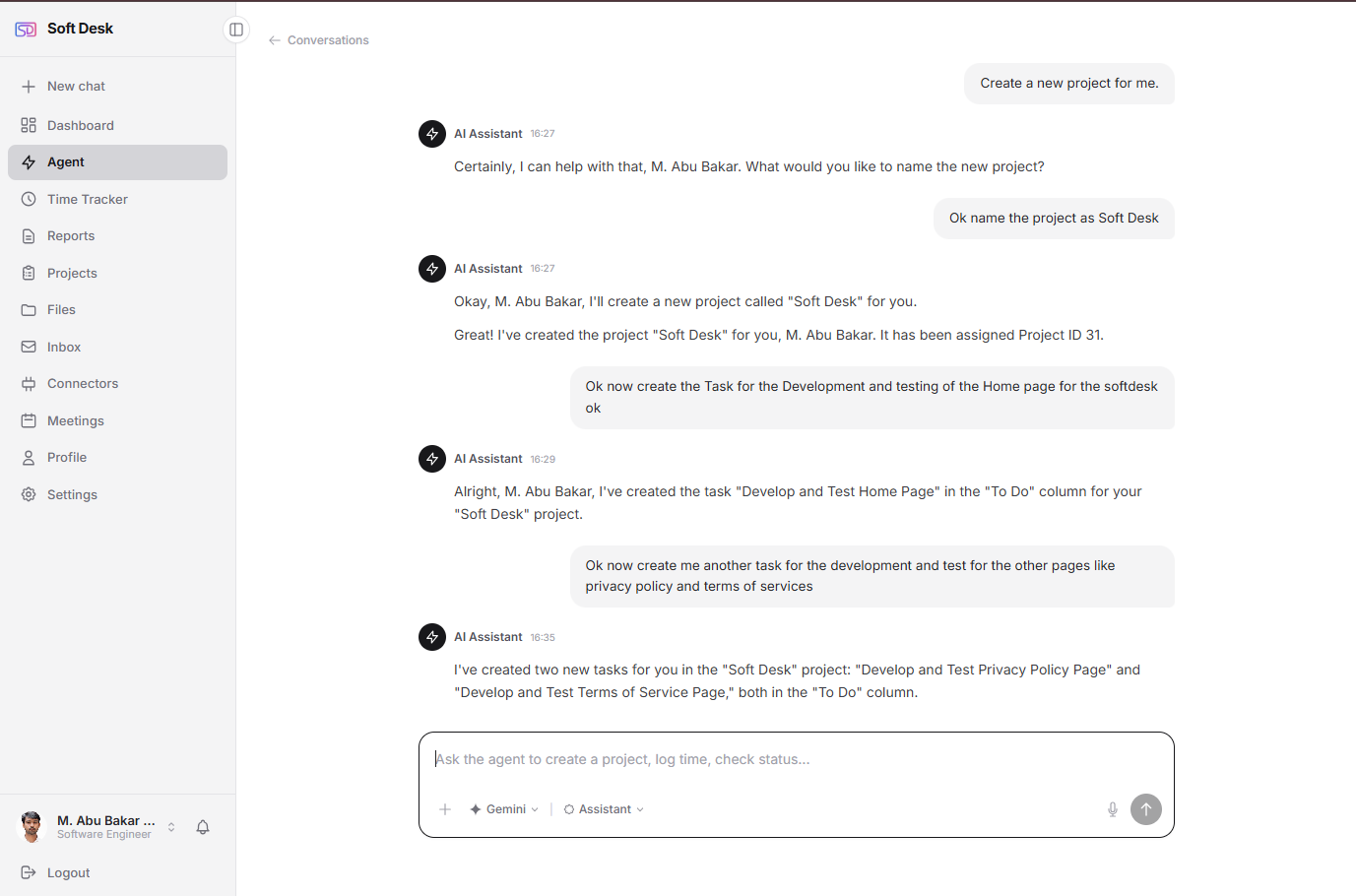
The chat assistant answers from your own data through a fixed set of tools: projects, tasks, time, clients, invoices, payments, the finance overview, meetings and the day plan. It can create and update tasks and projects. Every answer links to the record it came from, so you can check it in one click.
Anything that changes data waits for your explicit approval; the model cannot run those actions on its own. Names are replaced by tokens and identifiers are stripped before anything reaches the AI provider.
- Reads projects, tasks, time, clients, invoices, payments, finance, meetings and the day plan.
- Creates and updates tasks and projects, only after you approve each change.
- Every answer deep-links into the app.
- Names pseudonymised and emails, phones and addresses stripped before the provider sees them; no access to mailbox content or files.
Bring your own AI key
Say its name,ask, and listen.
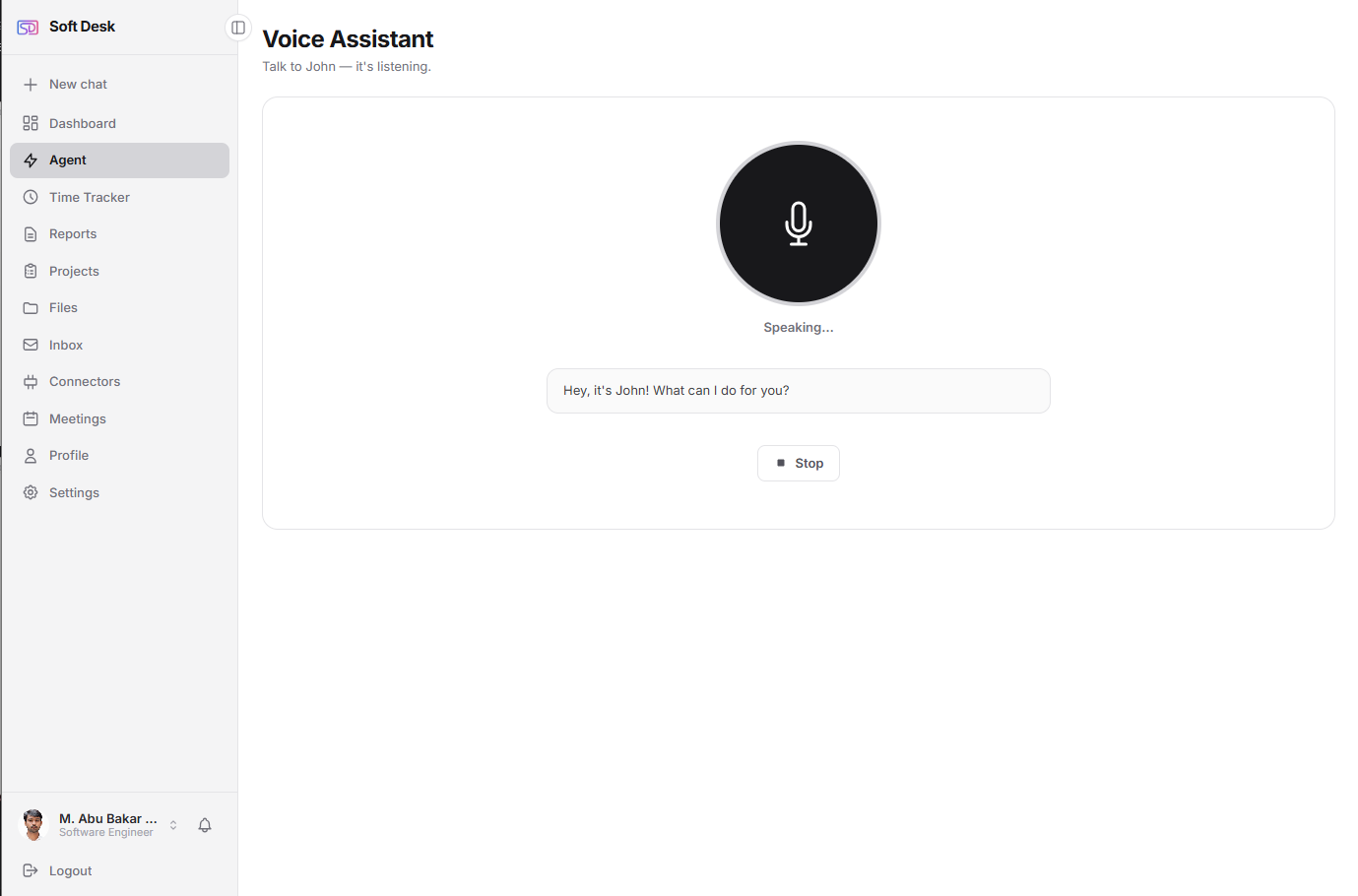
The voice assistant is the same assistant, spoken. Wake it by name (you choose the name), ask in plain language and hear the answer. Lists and tables appear on screen only when they help. You can interrupt it mid-sentence, and it ignores background speech that is not addressed to it.
Speech recognition and synthesis run in your browser; only the text of what you asked goes through the same privacy layer as chat.
- Configurable wake word.
- Spoken conversation with answers read out loud; on-screen lists and tables when useful.
- Interruptible (barge-in); background speech is ignored.
- Same tools, same approval gate and same pseudonymisation as chat.
Desktop Chrome only
One searchacross the workspace.
A single fuzzy search covers projects, tasks, time entries, notes and notifications, so a half-remembered name is enough. Results are grouped by type and open the record directly.
- Fuzzy matching across projects, tasks, time entries, notes and notifications.
- Results grouped by type, each opening the item in place.
Prepare kickoff deck
Website redesign · In progress
Kickoff notes
Shared with Maya
Kickoff prep
Website redesign · 1h 10m
Maya commented on Prepare kickoff deck
Yesterday
Connectedthrough Google's own consent.
Connect Gmail, Google Calendar and Google Drive with Google's OAuth consent screen; you can add several accounts of each. Tokens are encrypted at rest and a connector can be removed in one click, after which the app can no longer reach that account.
AI keys for Anthropic Claude, Google Gemini and OpenAI are added on the same page and are encrypted at rest too.
- Gmail, Google Calendar and Google Drive over OAuth, multiple accounts each.
- Bring-your-own AI keys: Anthropic Claude, Google Gemini, OpenAI.
- OAuth tokens and API keys encrypted at rest; disconnect in one click.
Gmail
2 accounts
Google Calendar
2 accounts
Google Drive
1 account
Preview tiles are not functional
Changes arrivewithout a refresh.
In-app notifications are pushed live: an assignment, an invitation, a comment or a viewed invoice shows up as it happens. The same server push keeps every open tab and device in step, so a board edited on one screen updates on the other.
The workspace itself adapts to you: reorder the sidebar, switch to dark mode, and use it on a phone.
- In-app notifications delivered live by server push.
- Changes appear on other open tabs and devices without a refresh.
- Customisable sidebar order per account, dark mode, mobile-responsive layout.
Maya assigned you Checkout flow QA
Website redesign · just now
You were invited to Brand refresh
Invitation · 12 min ago
INV-0009 was viewed
Invoices · 1 h ago
Milestone Design sign-off is due in 3 days
Website redesign · today
Where the day starts.
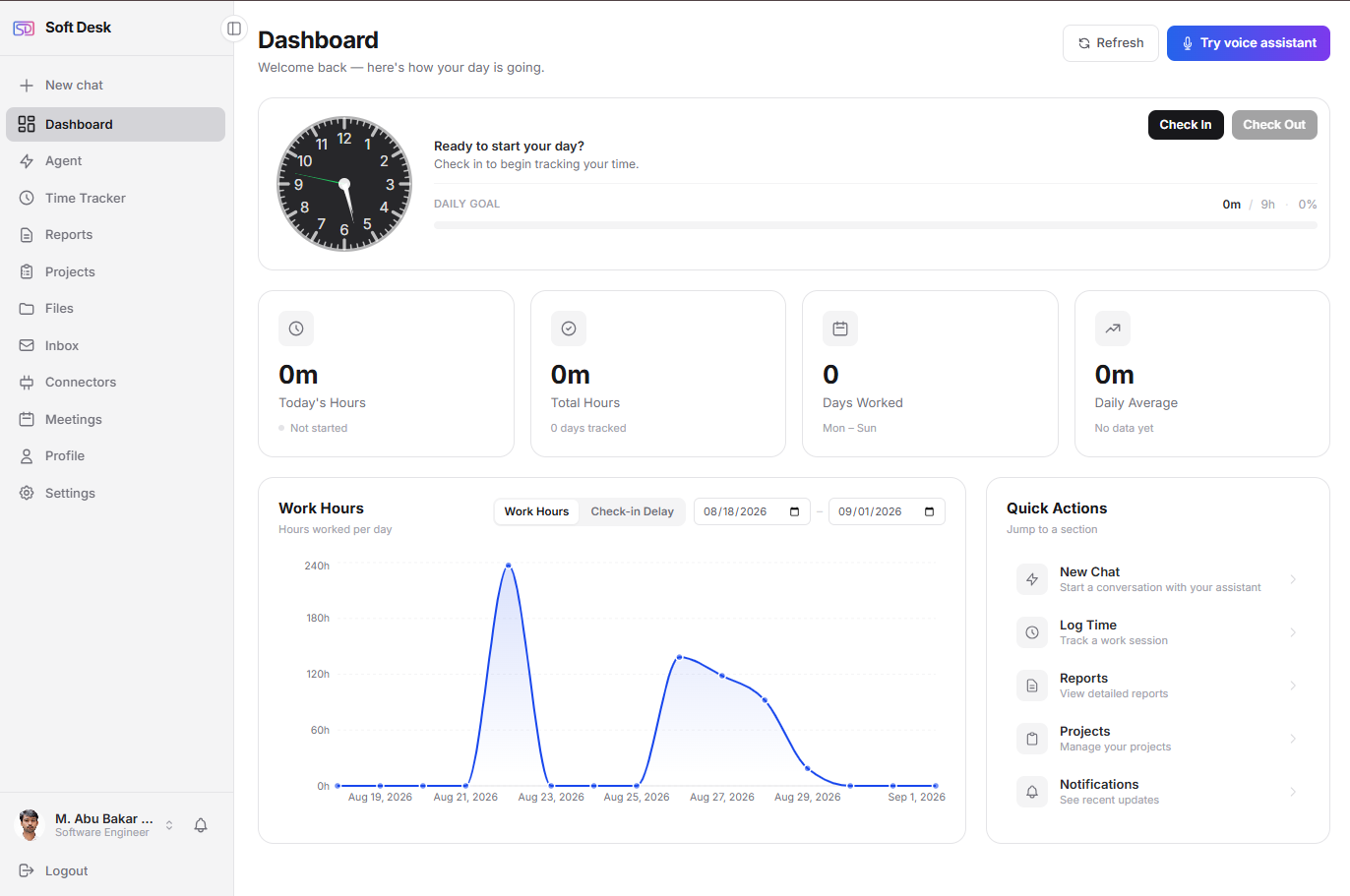
Check in, see this week's hours against your goal, the 15-day trend and your quick stats, and open To Dos. Company roles get their own dashboard: admin stats and quick actions, HR's pending leave and recent joiners, a manager's team status, a team lead's members, an employee's week.
See it with your own work.Free for individuals.
Sign up, connect a Google account if you want mail and calendar inside, and start a timer. Companies talk to us and get a tenant of their own.
No credit card required.